
You want to check a public Snapchat Story. A website says you can watch without logging in. But before entering a username, you pause. Will it ask for your password? Download something to your phone? Keep a record of your searches?
Those are different questions. A site can avoid asking for your Snapchat login and still have privacy practices worth checking.
Check what a website asks you to share before using it. Illustrative photo.
The short answer
Do not assume every Snapchat Story viewer is safe. Assess the specific website, the information it requests, and the files or permissions it asks you to accept.
For a public-content viewer, you should be able to distinguish a public username search from a request for account access. Never give a third-party viewer your Snapchat password, verification code, or My Eyes Only passcode. Snapchat warns users not to share these account secrets.
A no-login search avoids handing over your account credentials. It does not, by itself, prove that every part of a website is secure.
A quick check before you enter a username
Check | What to look for | When to stop |
|---|---|---|
Search field | A public username or profile link | A request for your password or login code |
Installation | A browser tool with clear requirements | An unexpected APK, extension, or installer |
Content claims | An honest explanation of public-content limits | Promises to unlock anyone’s private Stories |
Downloads | A clearly labelled photo or video download | A media button that starts a software installation |
Privacy | A policy explaining data use and contact details | Claims of zero data collection with no explanation |
Browser connection | The correct domain and no security warning | A dangerous-site warning or a lookalike address |
A username is different from a password
A public username identifies the profile you want to find. A password or verification code can help someone access your account. Do not treat those inputs as interchangeable.
For example, searching a public creator’s handle does not require you to send that website a code from your phone. If a viewer suddenly asks for one to verify you, leave the page.
Watch the promises and the next click
Be cautious if a site promises hidden or private posts, then asks you to complete surveys, pay an unexpected fee, or install software. These are reasons to reassess the site, not proof that you are about to unlock restricted content.
Check where a button takes you. If a simple viewing task turns into a chain of unrelated pages, stop before entering personal or payment details.
Anonymous viewing and website privacy are different
A viewer may describe anonymous viewing as keeping your Snapchat identity out of a creator’s viewer list. That claim concerns what the creator sees. It does not answer what the viewer website records.
Read the privacy policy for information about search history, cookies, analytics, and contact forms. A site can work without a Snapchat account while still processing information needed to run its service.

Photo: Sasun Bughdaryan on Unsplash · Unsplash License
HTTPS protects the connection
HTTPS helps protect information travelling between your browser and the website. It does not certify the site’s owner or guarantee every claim on the page. Check the domain as well as the connection, and take browser warnings seriously.
Check downloads separately
If you chose a video, check that the download is the media file you expected. An unexpected installer or browser extension is a different request. A familiar file extension alone is not a security guarantee.
Keep your browser and device updated. Do not bypass a dangerous-site or harmful-download warning just to obtain a clip. General phishing guidance also recommends current software and checking suspicious requests through a known website.
How SnapStoryViewer addresses these questions
SnapStoryViewer’s homepage describes a browser tool for available public Stories, Highlights, and Spotlight. It says no Snapchat login, account registration, or app installation is required.
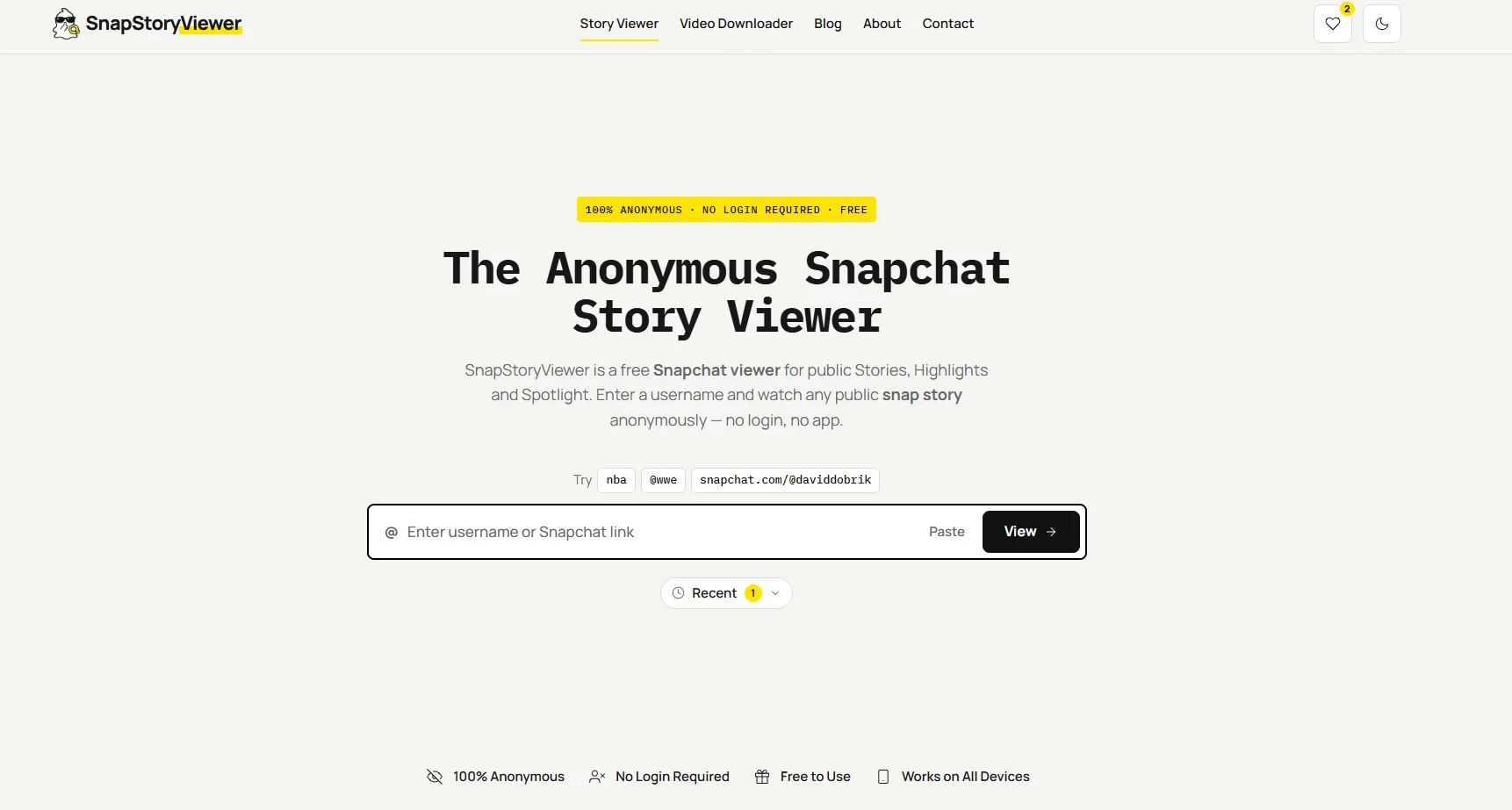
What its published privacy policy says
The policy says SnapStoryViewer does not collect Snapchat credentials. It says recent searches remain in your browser’s local storage, public visitors are not tracked with cookies by default, and contact-form submissions are stored so the site can respond.
These are the site’s published statements. A policy explains intended data practices; it is not an independent technical audit. Check the current policy when deciding whether those practices suit you.
What the tool can show
The homepage states that it only displays publicly available content. It cannot open friends-only or Private Stories. It also identifies SnapStoryViewer as independent from Snapchat and Snap Inc.
To browse a public creator, enter the username or profile link on SnapStoryViewer. No Snapchat password is needed for that search.
For data-handling questions, read the Privacy Policy or use the Contact page.
If you already shared your Snapchat login details
Open Snapchat directly rather than following the viewer site’s links. If you think someone accessed your account, take these steps:
Change your Snapchat password. Change it elsewhere too if you reused it.
Check Session Management and end any active session you do not recognise.
Confirm that the account’s email address and phone number are still yours.
Enable two-factor authentication and keep your login codes private.
If you cannot regain access, use Snapchat’s official support and account-recovery options.
If you installed something unexpected, update your security software and scan the device. The FTC recommends this when you suspect a link or attachment downloaded harmful software.
Frequently asked questions
Is entering a public username safe?
A public username does not grant account access. Still check the website and its privacy practices before searching. Do not add a password or verification code.
Can a viewer unlock Private Stories?
Do not trust that promise. SnapStoryViewer states that its tool displays public content and cannot open friends-only or Private Stories.
Does no login mean no tracking?
No. Login requirements and data collection are different. Read the policy for cookies, analytics, searches, and other information the site may process.
Is a secure connection proof that a viewer is trustworthy?
No. A secure connection protects information in transit. You still need to check the domain, requests, and claims.