You open Snapchat and notice a purple ring around a friend's picture. Another Story has a tiny lock. Then you check your own Story and see a pair of eyes beside a number.
Did someone watch it twice? Is that story private? Or something else, let’s find out in this article.
These symbols answer different questions.
The ring tells you spot Story updates.
The lock symbol tells you about access, and the eye symbol gives you information about rewatches.
Once you know where to look, they become much easier to understand.
Snapchat Story symbols at a glance
Symbol | Where you might see it | What it tells you |
|---|---|---|
Purple ring | Around a Story preview on the Stories screen | Usually indicates a Story you have not watched yet |
Grey ring | Around a previously watched Story | Usually indicates you have already viewed it |
Padlock on a friend's Story | On a Private Story preview | The friend has limited access to selected friends |
Blue ring with a padlock on a creator's Story | Creator subscription content | Can indicate a subscriber-only Story |
Eyes emoji with a number | Your own Story's viewing information | The Snapchat+ Rewatch Indicator counts friends who watched again |
Colors can change based on whether you already saw them or interacted with them.
Read the shape, location, and surrounding labels together rather than relying on color alone.
What does a purple ring mean on Snapchat?
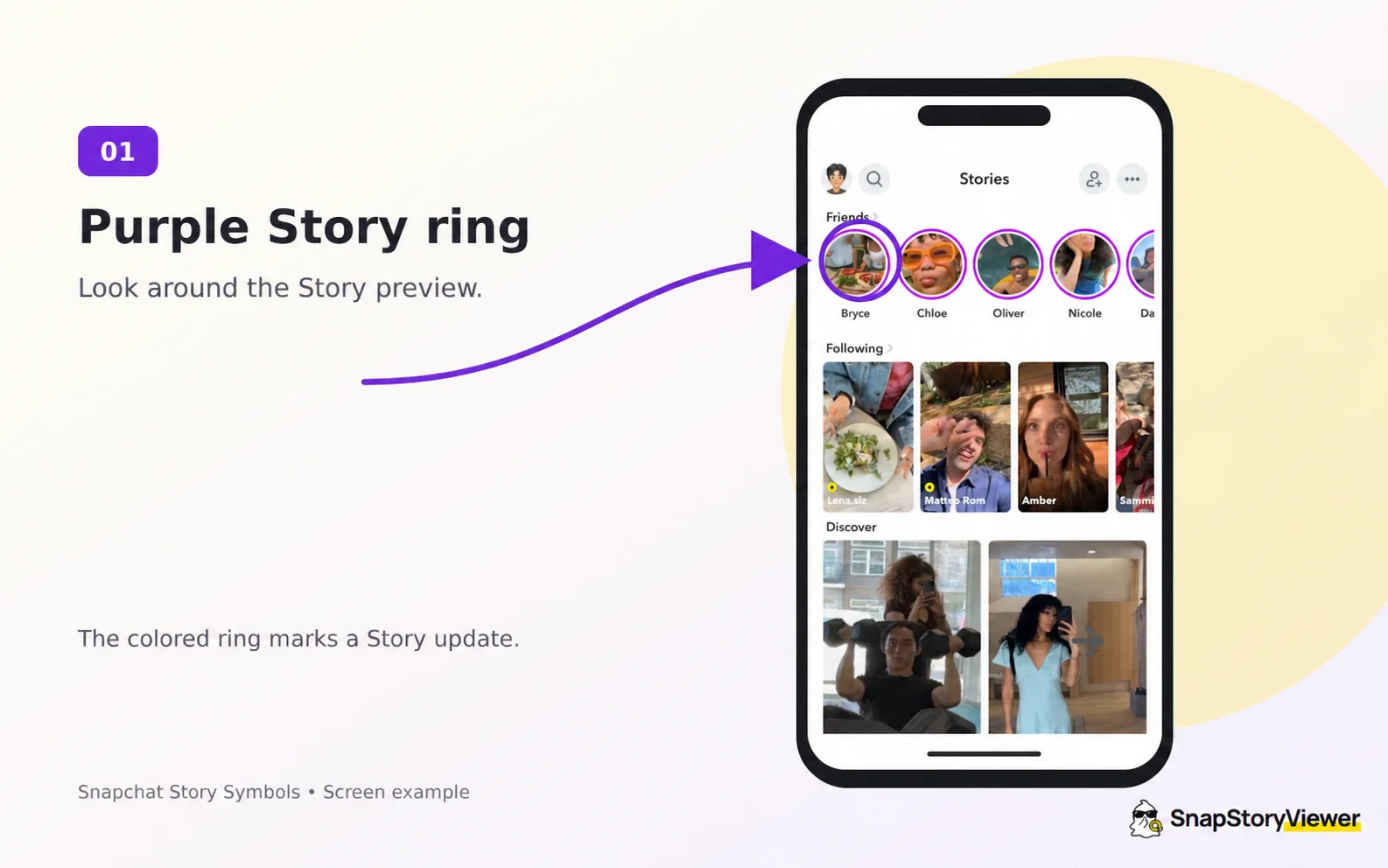
The arrow and circle mark a purple Story ring in a Snapchat promotional interface example. Source: Snapchat for Business. Screen layouts may differ by app version.
A purple ring around someone's Story preview usually means there is a Story you have not watched yet. It is a visual cue to open their update.
Simply, it shows you haven’t watched the Story yet.
Snapchat's official help explains that a friend who updates their Story gets a circular preview beside their name on the Chat screen.
Does a purple ring mean the Story is private?
A purple ring by itself does not tell you that a Story is private. Look for a padlock on a friend's Story to identify a Private Story.
For example, two friends could both have purple Story rings, while only one preview has a lock. The rings help you notice the updates. The lock adds information about the audience.
Why does a Story sometimes have a blue ring?
Story previews have used different colors on different Snapchat screens. A Story may appear with blue styling in Chat and purple styling on the Stories screen.
However, blue can also appear with a lock on creator subscription Stories. This is why a simple rule such as “blue means public” can be misleading. Check whether you are looking at a friend's update or a creator's paid content.
Why did the purple ring turn grey or disappear?
A ring may turn grey after you watch the available Story. A preview can also disappear when content is no longer available.
A missing ring alone does not establish that someone blocked or removed you.
What does the lock mean on a Snapchat Story?
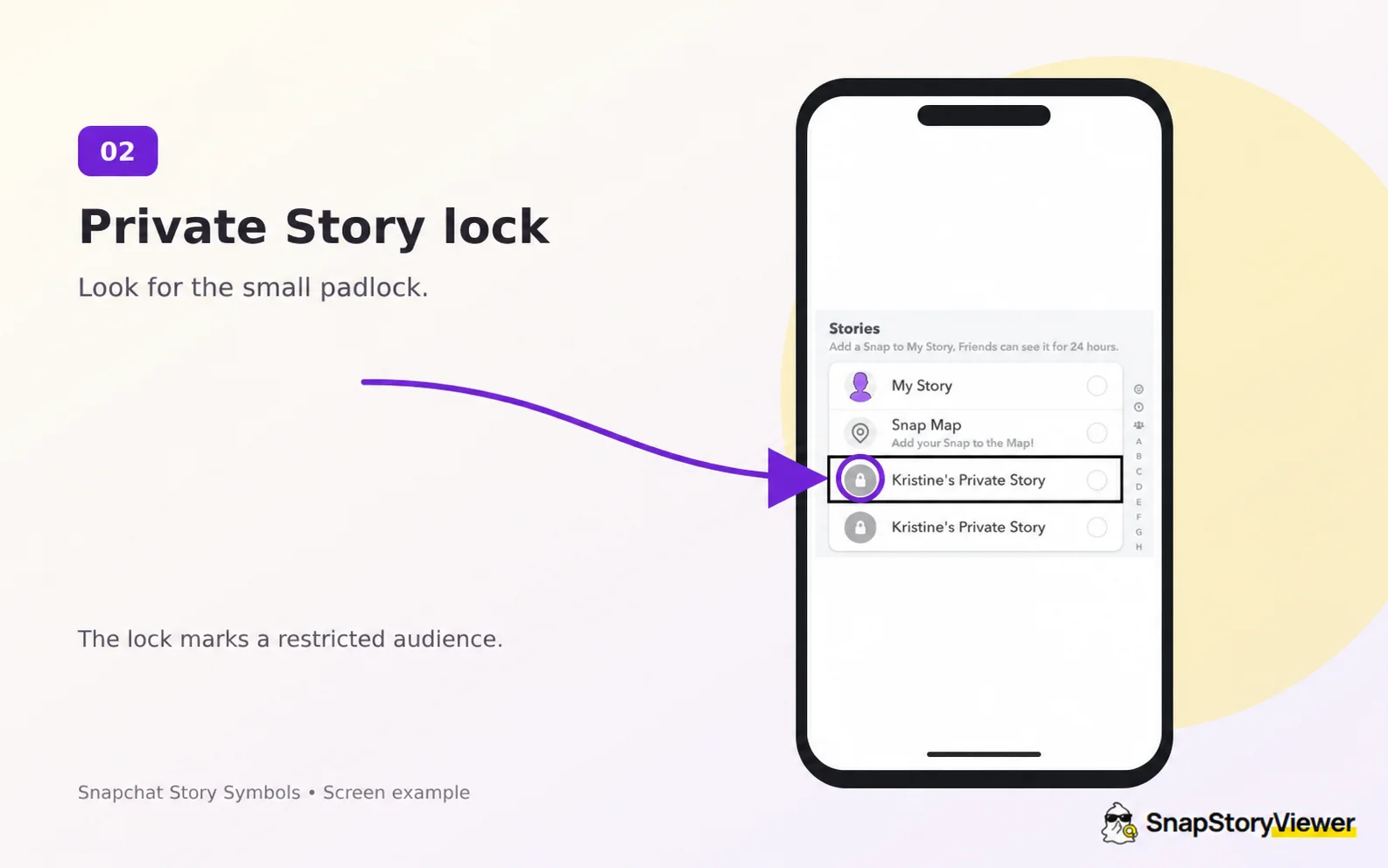
The arrow points to a Private Story padlock in an older Snapchat sharing screen. Source: FoneLab.
In a friend's Story, a padlock means a Private Story. The person posting it chooses who can watch it and who can not.
If you can open that locked Story, you have access to that particular audience.
It does not mean the person posted it only for you, or that you are on their Best Friends list.
Let’s say, a friend sharing party plans with a few invited people. A Private Story lets them choose that audience without sharing the update with every friend.
Can other friends see that a Private Story exists?
Snapchat says friends who cannot view a Private Story are not notified that it exists. For people who can view it, those Snaps may appear alongside the friend's regular My Story content; Android may show them separately.
Can a locked Story still be saved?
Yes, a locked Story (a Private Story marked with a padlock icon) can still be saved or captured.
NOTE: Choose your audience carefully when sharing something personal.
What if the lock is on a creator's Story?
Snapchat also uses a padlock with a blue Story ring for subscriber-only creator Stories. This belongs to Creator Subscriptions, which Snapchat says is still rolling out and may vary in availability.
That is different from a friend selecting you for a Private Story.
In one case, access comes from the friend's audience choice. In the other, it comes from a creator subscription.
What do the eyes mean on a Snapchat Story?
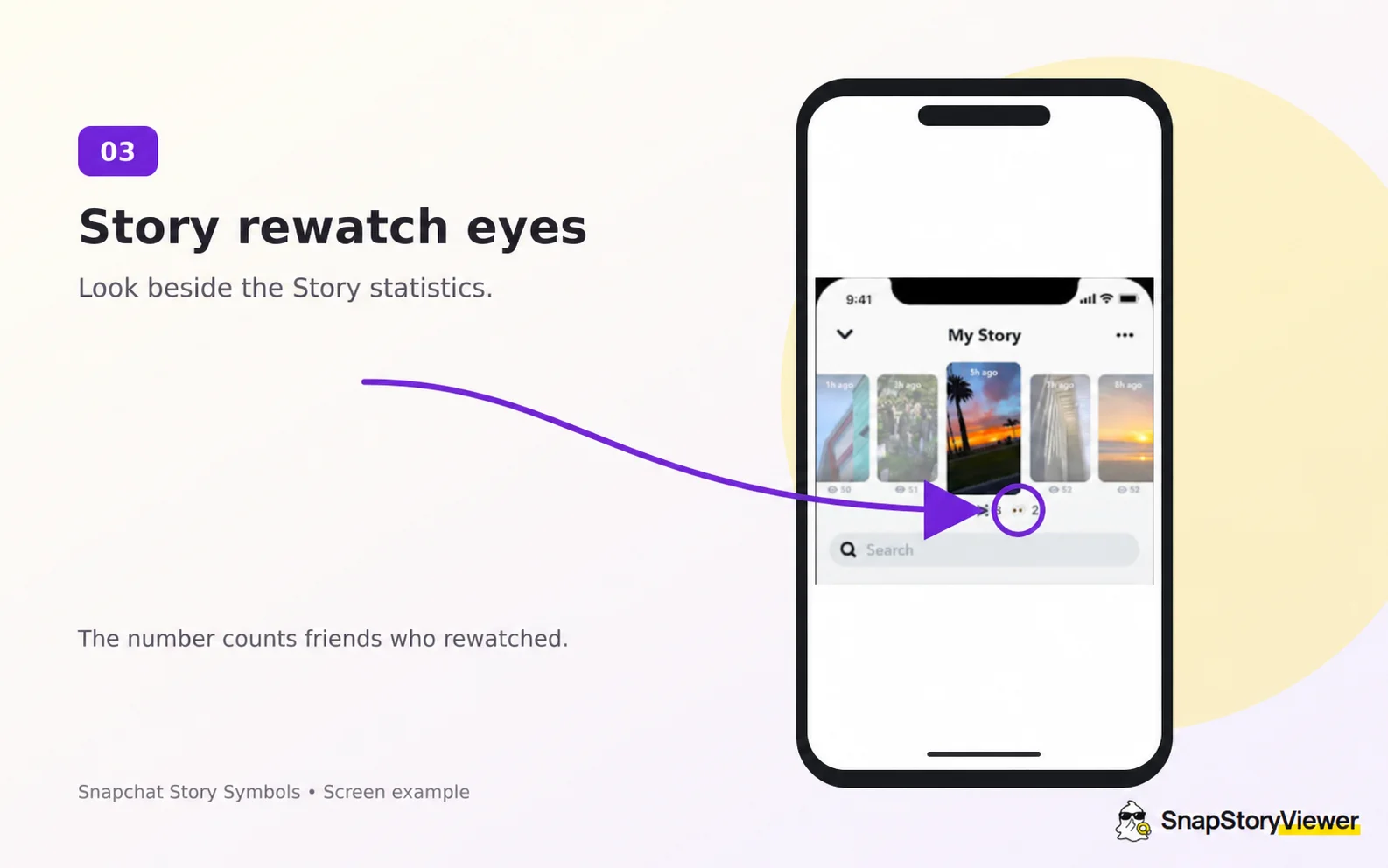
The arrow points to the eyes indicator and its rewatch count; in this older screen example it is 2. Source: Stealth Optional. Screen layouts may differ by app version.
The eyes emoji beneath a Story you posted is Snapchat+'s Rewatch Indicator. It shows how many friends watched your Story again.
The number counts friends, not total replays. If you see a rewatch count of 3, three friends rewatched. One of them could have returned several times without each replay adding another person to the count.
It also does not name the friends who rewatched. You cannot use it to identify one particular repeat viewer.
How to check your Story rewatch count
Open your posted Story and swipe up to see its viewing information. Snapchat+ members can turn the feature on or off through their membership card using the Story Rewatch Count setting.
Do the eyes mean someone took a screenshot?
No. The eyes are a rewatch indicator.
Do the eyes prove someone is stalking you?
No. Someone could replay a Story to read text, hear something again, or look more closely at a photo. The count cannot tell you their reason.
Story views, rewatches, and screenshots are different
These details can appear near each other, which makes them easy to confuse.
Information | What it answers | What it cannot tell you |
|---|---|---|
Story viewer list | Which accounts appeared as viewers | Why they watched |
Rewatch Indicator | How many friends watched again | Which friends rewatched or the total number of replays |
Screenshot information | Whether Snapchat recorded a screenshot | Whether someone saved the content using another device |
For My Story, Snapchat says you can open the Story and swipe up to check views and screenshots. It displays viewer names for up to 200 Snapchatters; after that, the view count continues without additional names.
A lock describes who is allowed to watch. Viewing information describes what happened after people watched.
Can a Snapchat Story viewer open locked Stories?
No, it cannot unlock a friend's Private Story or subscriber-only content. SnapStoryViewer lets you browse available public Snapchat content by entering a username or public profile link.
It also does not provide the account owner's private viewer list or Snapchat+ rewatch statistics. Those are different from the public photos and videos a creator makes available.
NOTE
If your goal is to keep up with a public creator, you can check their available public content through the tool. If your goal is to identify who rewatched your own Story, use Snapchat's viewing information—and remember that the eyes indicator does not reveal names.
Frequently asked questions
Does a purple ring mean someone watched my Story?
No. A ring around another person's Story preview relates to their update.
Does a purple lock mean I have been blocked?
No. A lock on a friend's Story shows a Private Story.
Do two eyes mean two people rewatched?
No. The two eyes are the emoji itself. Read the number beside it to see the count of friends who rewatched.
Can Snapchat+ show exactly who rewatched my Story?
The Rewatch Indicator does not identify the friends who watched again.
Does a grey lock make a Private Story public?
No. A change in viewing status does not change the audience. The padlock still marks restricted content.